S1 Port Digital Meter Integration
Instruction to connect the S1 port of a digital meter to the Zatobox system.
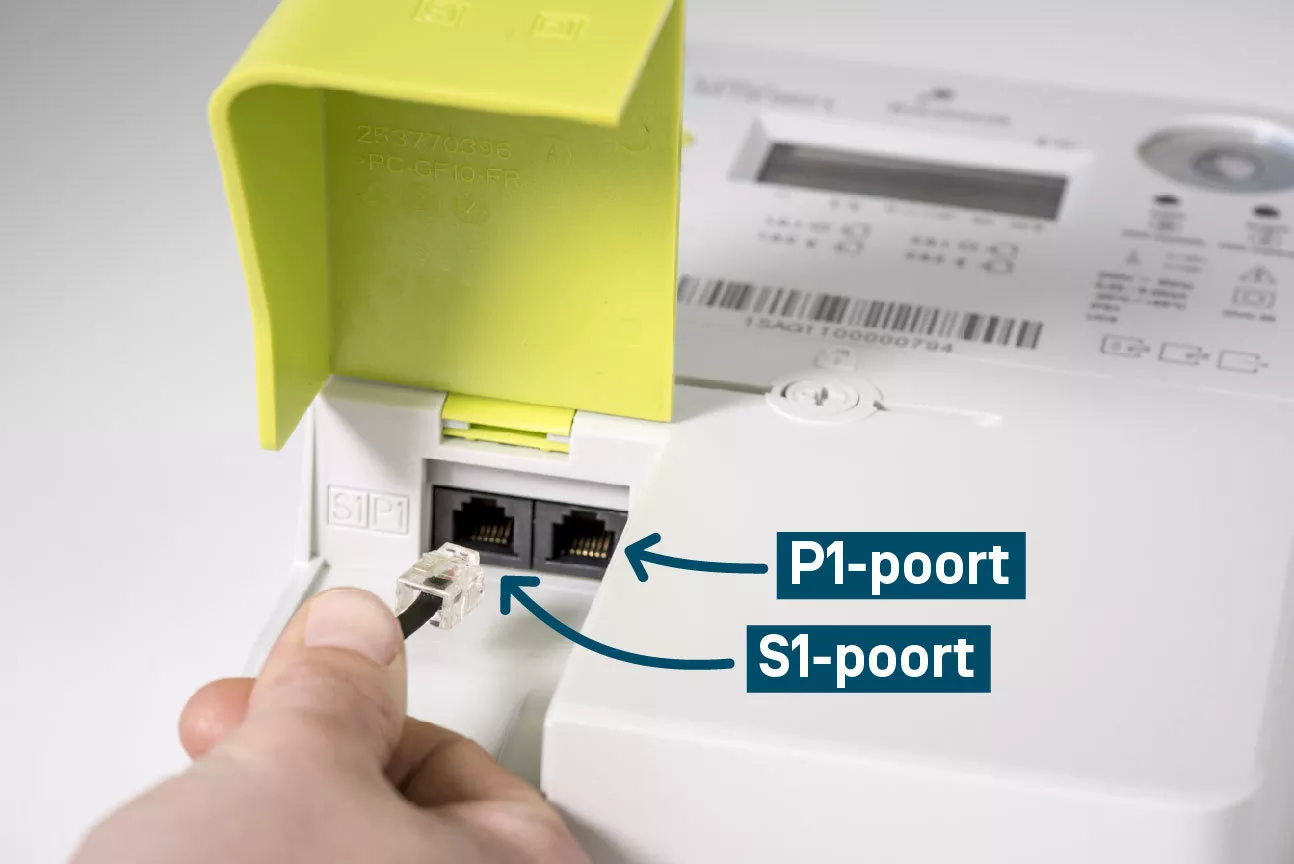
The S1 port provides additional connectivity options for digital meters, allowing fast monitoring of electricity consumption. This can be used in the Zatobox energyadapter for better data transfer.
The S1 port supports one integration: S1 mainmeter.
How to connect the S1 port
The zatobox can be connected to the s1 port. The S1 port is a rj12 connector with pinout in below table. connections. The s1 doesn't have power compared to the p1 port. So the p1 port can be used for power.
| Pin number | Signal name | Comment |
|---|---|---|
| 1 | NC | Do not connected |
| 2 | NC | Do not connected |
| 3 | GND | 0V reference connect to zatobox GND |
| 4 | RS-422 line (-) | Connect to zatobox RS485 B |
| 5 | RS-422 line (+) | Connect to zatobox RS485 A |
| 6 | NC | Do not connected |
The two rs485 ports of the zatobox one are compatible with the S1 port rs422.
Troubleshooting
- Verify the S1 port is activated with your energy provider
- Check all connections are secure
- Ensure power is being delivered through either RJ45 or USB
- Confirm the Zatobox device is connected to WiFi
- Restart the device if connection issues persist