P1 Port Digital Meter Integration
The P1 port is an easy-to-use connection to monitor your energy usage. Our Zatobox system uses this port to provide you with easy insight into your energy usage. This page provides all the information you need but if you want to read more you can go to this Fluvius website Manual for digital meters
The P1 port supports three integrations: P1 mainmeter, P1 gasmeter, and P1 watermeter.
The P1 port sends the electricity data (your consumption in kWh, your active power in kW, and some quality data) directly every second. The data from your digital gas meter is also sent every 5 minutes via the P1 port of your electricity meter.
How to connect the P1 port
A digital electricity meter has one or two user ports. In any case, all digital meters have a P1 port, some also have an S1 port. These user ports are located under the yellow-green flap of your digital electricity meter.
Use the supplied cable to connect the respective zatobox product to P1 port.
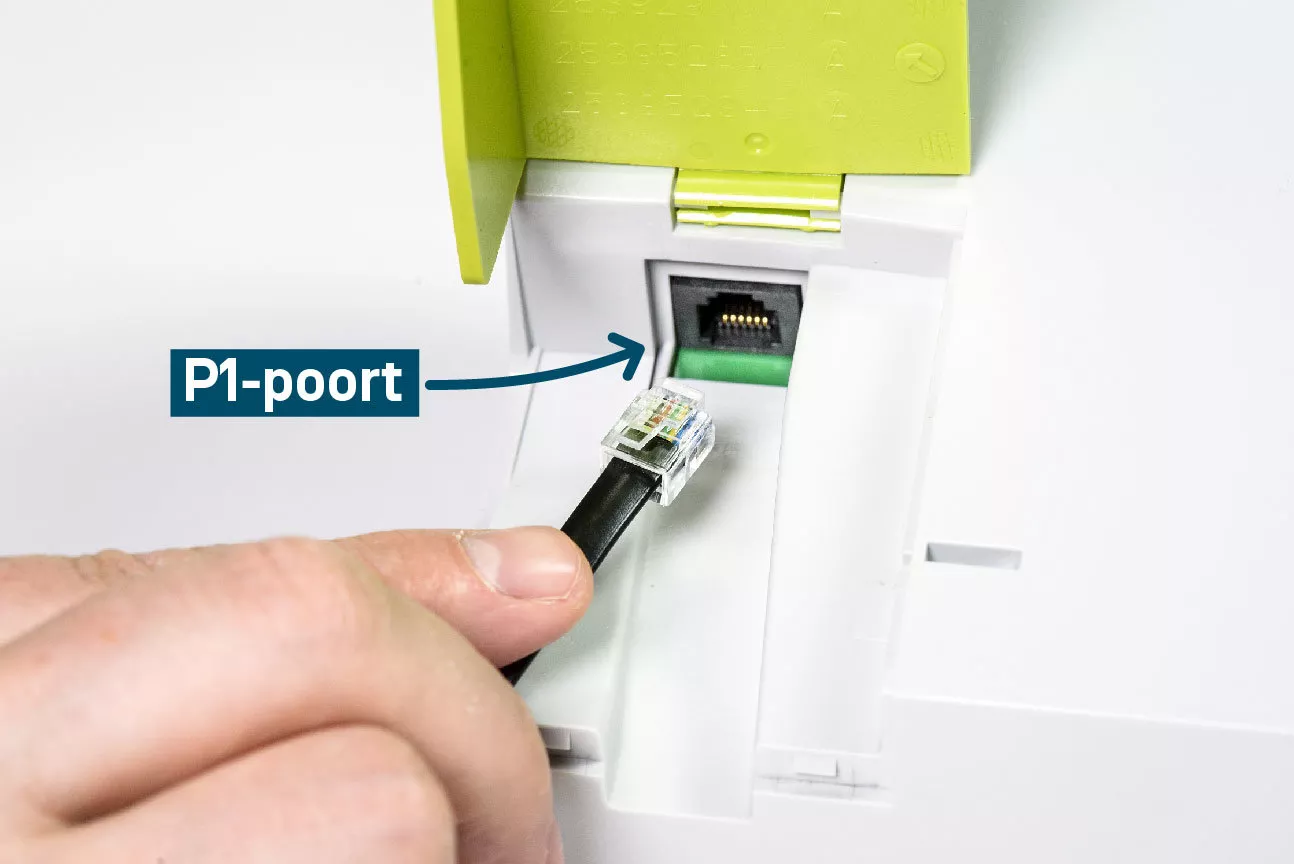
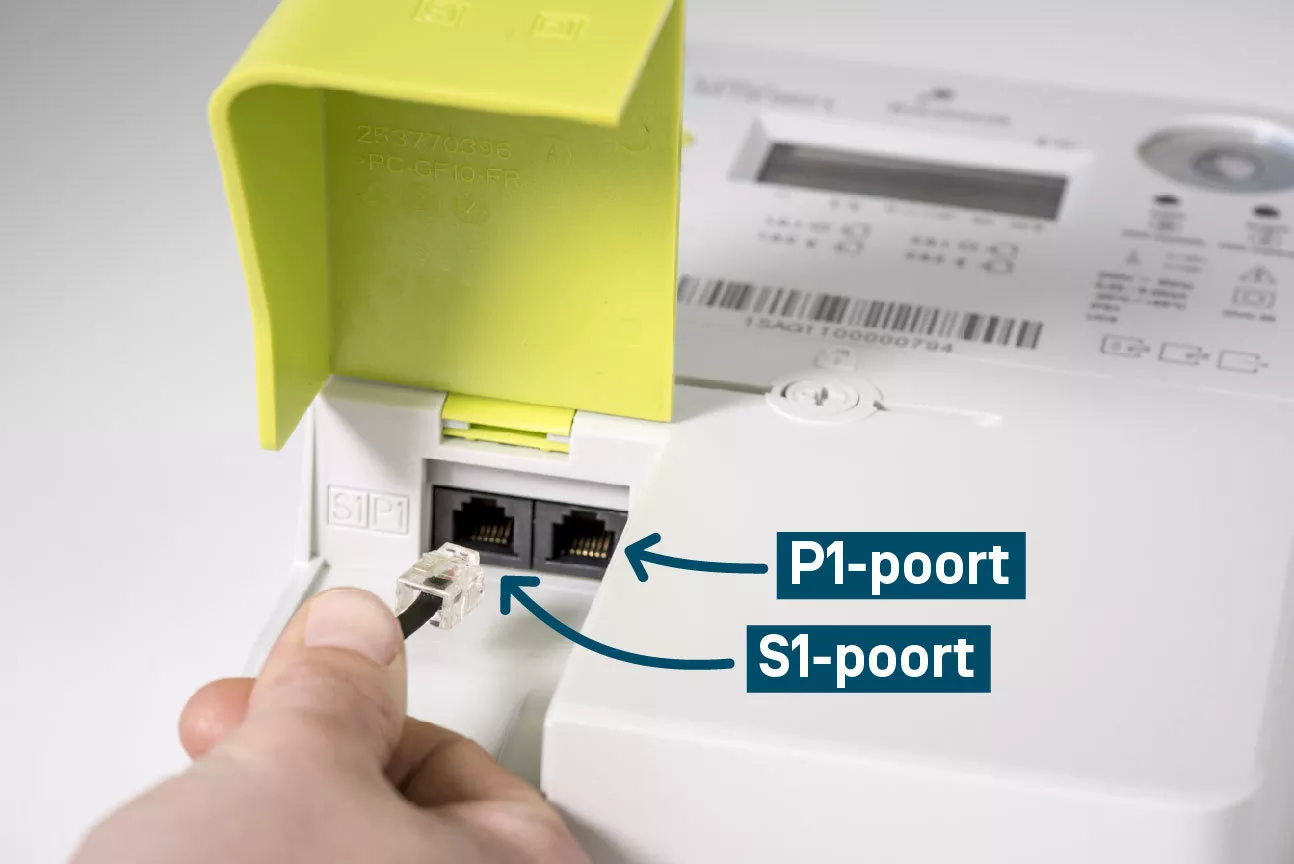
P1 pinout for more information. The included p1 cable in the box is sufficient.
| Pin number | Signal name | Comment |
|---|---|---|
| 1 | 5V | Power connection |
| 2 | 5V | Power connection |
| 3 | GND | 0V reference |
| 4 | NC | Not connected |
| 5 | RxD | Receive port of p1 |
| 6 | GND | 0V reference |
P1 port activation
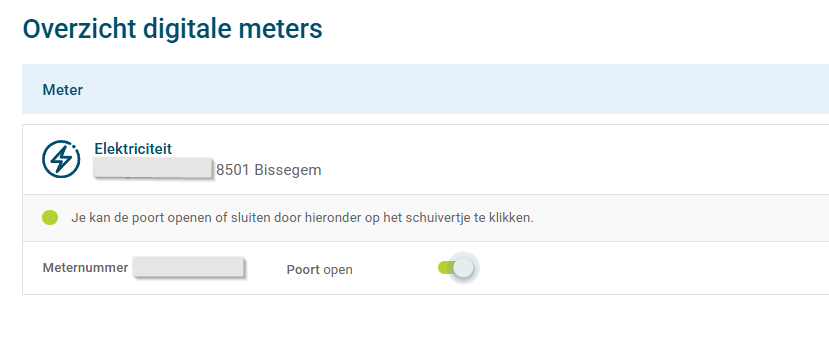
Belgium: In belgium the P1 port needs to be activated through mijn-fluvius portal: Mijn fluvius poortbeheer
Login on the website with itsme or another authentication method. After which you need to navigate to the p1 activation page, see image below.
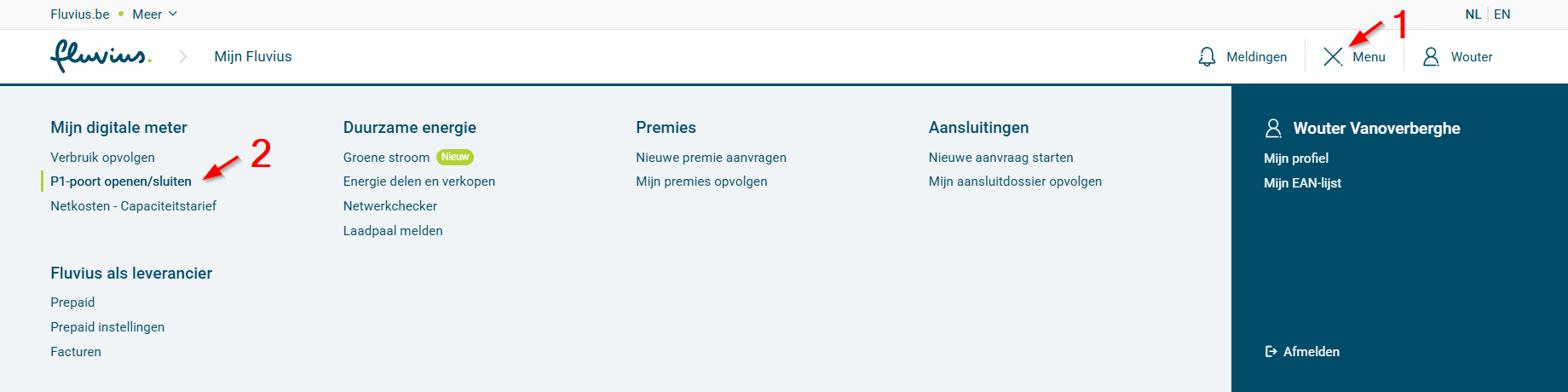
On the activation page you should see your digital meter. Click to open the port. Opening the p1 port can take several hours to a day.