Zatobox One
The Zatobox One is an intuitive energy manager designed for ease of use. By connecting your digital meter, you can efficiently monitor your energy flows.
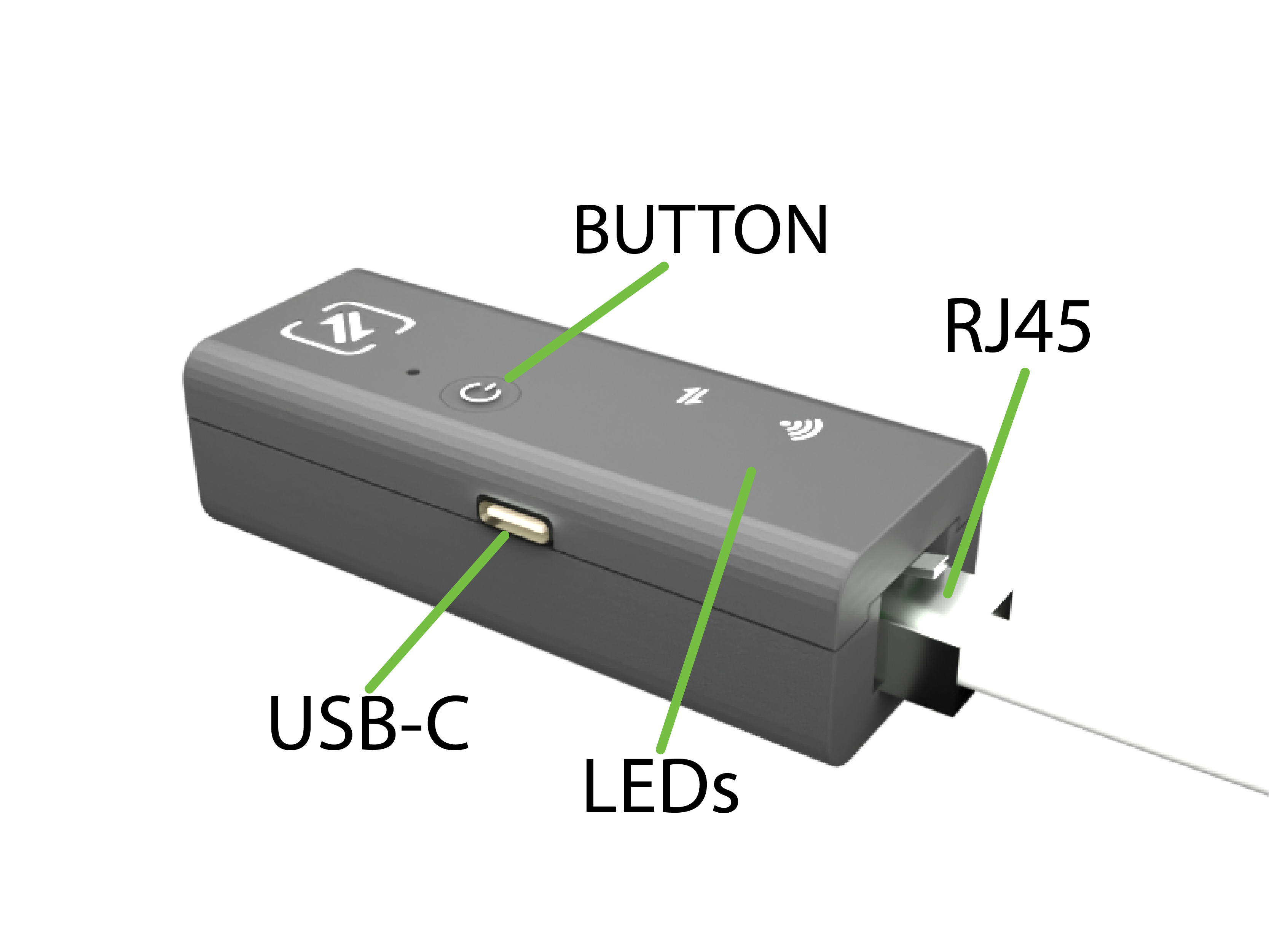
Product configuration
The Zatobox One features an RJ45 connector, which can be connected to the P1 meter using an adapter cable.
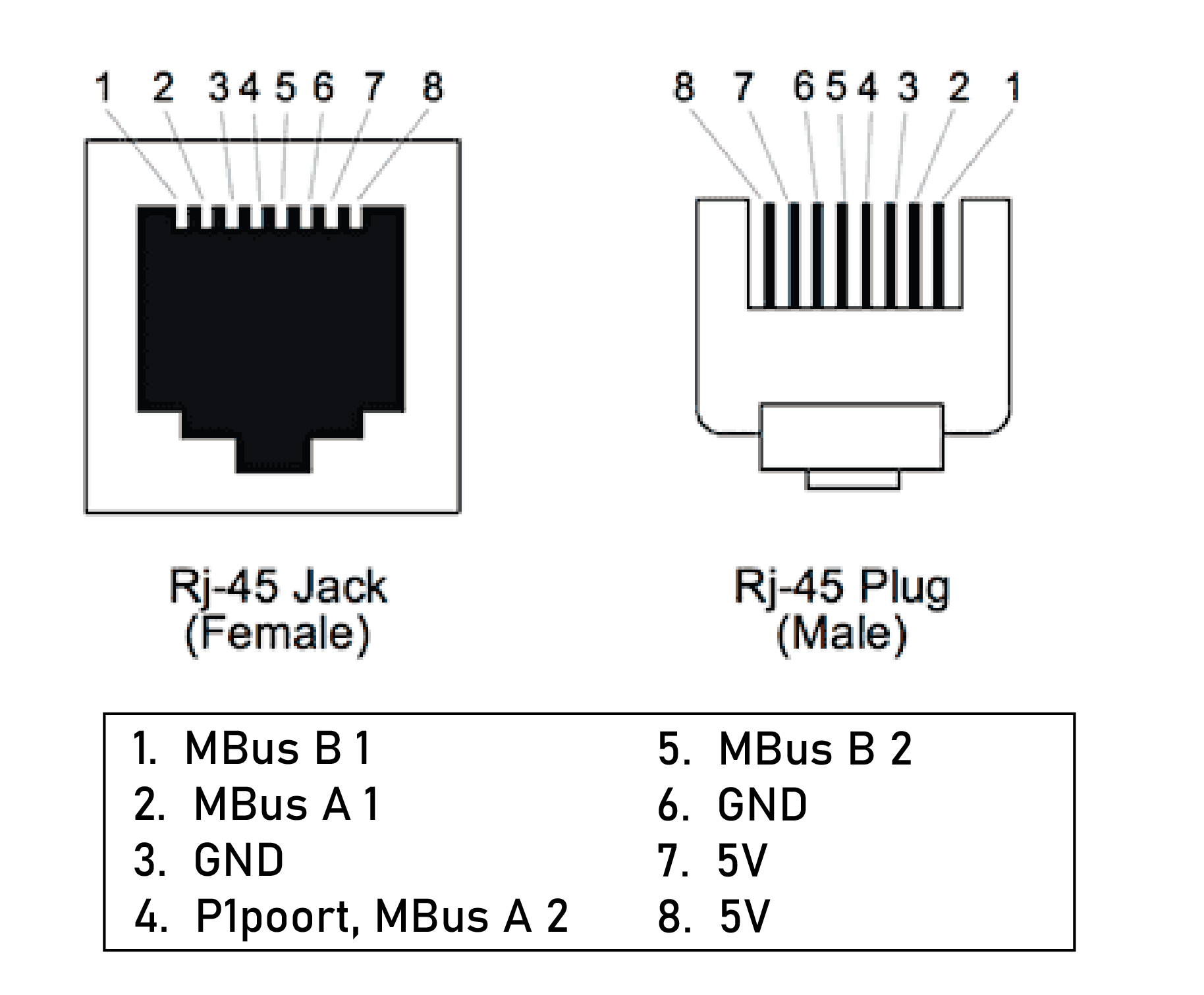
| RJ45 pinout | |
|---|---|
| 1. RS485 A1 | 5. RS485 B2 |
| 2. RS485 B1 | 6. GND |
| 3. GND | 7. 5V |
| 4. P1port, RS485 A2 | 8. 5V |
| Specifications | |
|---|---|
| Input voltage | 5V DC |
| P1 port | 1 port |
| Modbus | 2 ports |
| Wifi | 2.4GHz |
| Size | 81x31x23mm |
Quick setup
Power Connection: Connect the Zatobox One to a power source. This can be done through the P1 port or via a separate charger using the side USB-C port.
Power Up: Once powered, the LED should start flashing.
Device Addition: Use the app to add the device (Add device). By default, the Zatobox One includes:
Two sensors for monitoring the main supply and gas supply.
LED State
| Wifi Status | LED State |
|---|---|
| Pairing mode | Continous white |
| Connected to cloud | Flashing white |
| Error | Continous red |
| Connection Status | LED State |
|---|---|
| No connections active | Continous orange |
| Connections active | Continous green |
| Error | Continous red |
Troubleshooting
Reset
Press and hold the button for 10 seconds. If successful, the LED will blink in pairing mode.